Last Updated: 09/21/2023
Using Search
Use the Search field to search for a name in the table. This feature can be helpful when you have more names than can be shown in the table. Enter a full or partial name in the Search field to refresh the grid with the first occurrence of your search criteria.
In addition to name, you can also search by other data in the grid. For example, on the Workers tab, you can search by name, voter ID, or email address. On the Election tab, you can search by name or date.
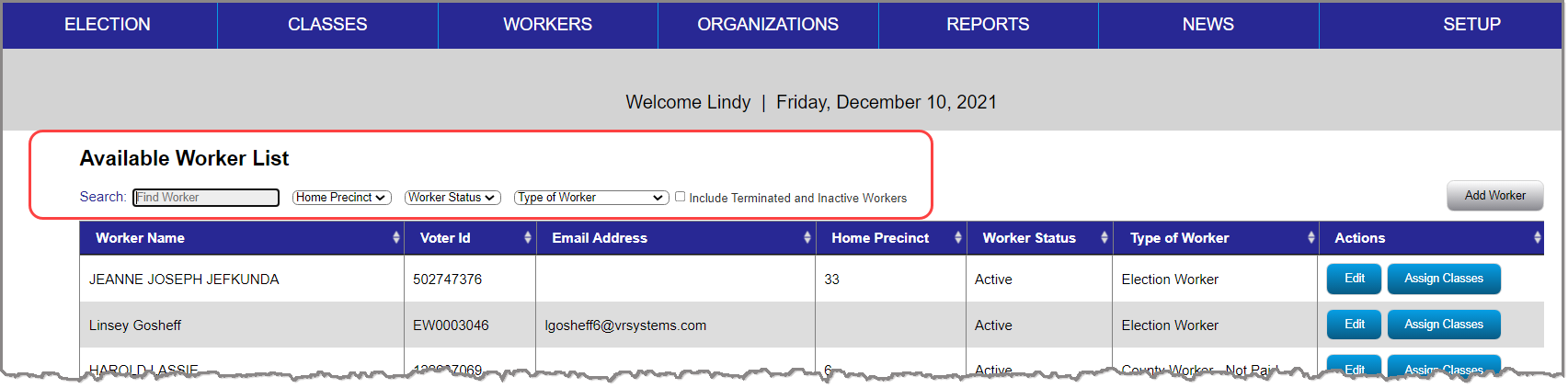
You can also:
- Sort—Each column header is sortable, so you can click the column header to reorder the list.
- Filter—Select an option from the any of the available filter lists to refine the results that show in the grid.
Note: For the Workers tab, keep in mind that workers with the status of Inactive or Terminated WILL NOT appear in the Available Worker List, unless the Include Terminated and Inactive Workers box is selected.
 If your search provides no results:
First check the spelling is correct. If the spelling is correct, proceed to one of the following topics:
- If the Worker still cannot be found, see Add or Edit Workers for more information.
- If the Instructor still cannot be found, see Managing Instructors for more information.
- If the Location still cannot be found, see Managing Locations for more information.
- If the Election still cannot be found, you may add a new election in the Voter Focus application. See the Create an Election topic for more information.
- If the News Story still cannot be found, see Manage News Stories for more information.


